

HOW TO BOOK ONLINE 1-1 VIETNAMESE CLASS?
- All classes are 1-1 online via Skype, Zoom, Google Meet.
- Pay in advance via Paypal or Credit Card, internet banking...
- Choose date and time on online Calendar.
- Receive confirmation in your email.
- Attend online classes on time to practice speaking Vietnamese with native speaker.
Detailed instructions below shows how to book:
Payment then Schedule
Step 1: Open this link
http://vietnameseonlineclass.com/sanpham.html
Step 2: Choose online class you want to attend ( For more detail in each service)
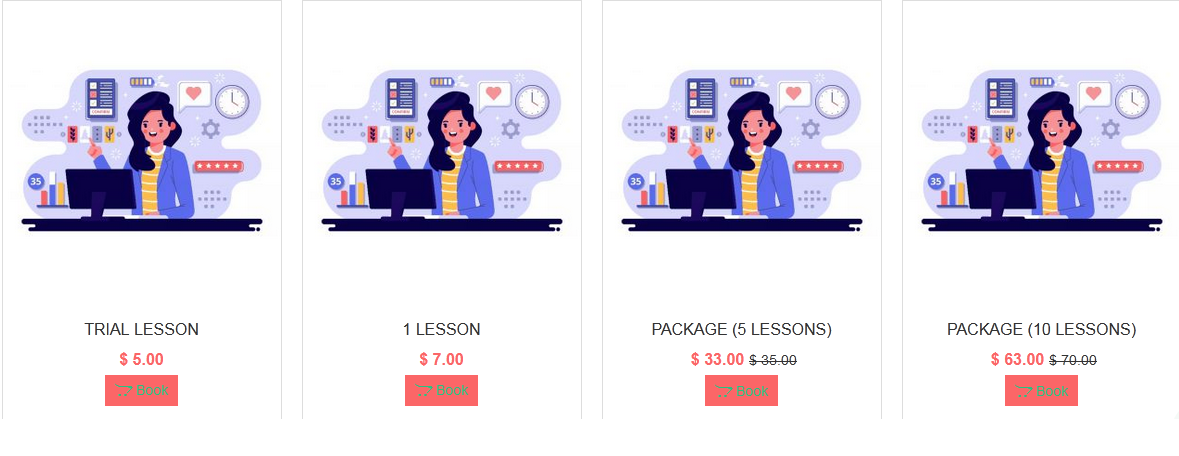
choose class and quatity in the box like that:
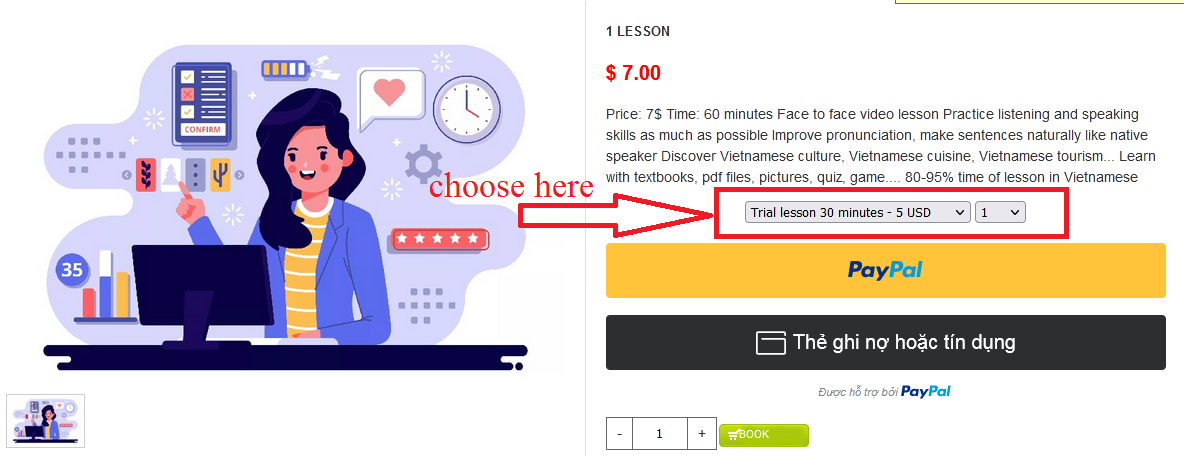
Step 3: Payment
You choose the way you want to pay ( Paypal or Credit Card)
Step 4: Choose date and time for class
You can click in this link to check available time https://calendar.google.com/calendar/u/1/embed?src=vietnameseonlineclass@gmail.com&ctz=Asia/Ho_Chi_Minh
And you can schedule your lesson in this link : https://calendly.com/vietnameseonlineclass
You can choose Date and time by contacting with us in this form http://vietnameseonlineclass.com/lienhe.html
Step 5: Attend online classes on time and practice speaking Vietnamese with native speaker.
Don't hesitate if you want to book online Vietnamese lesson and contact with us in this form http://vietnameseonlineclass.com/lienhe.html. You're always welcome.
Mục lục bài viết
You can schedule your lessons in this link : https://calendly.com/vietnameseonlineclass

VIETNAMESE ONLINE CLASS
Website for learning Vietnamese online face-to-face video with native Northern speakers in Hanoi, Vietnam.
Don't hesitate if you want to book an online Vietnamese lesson and contact us. You're always welcome